
GraphQL Map View
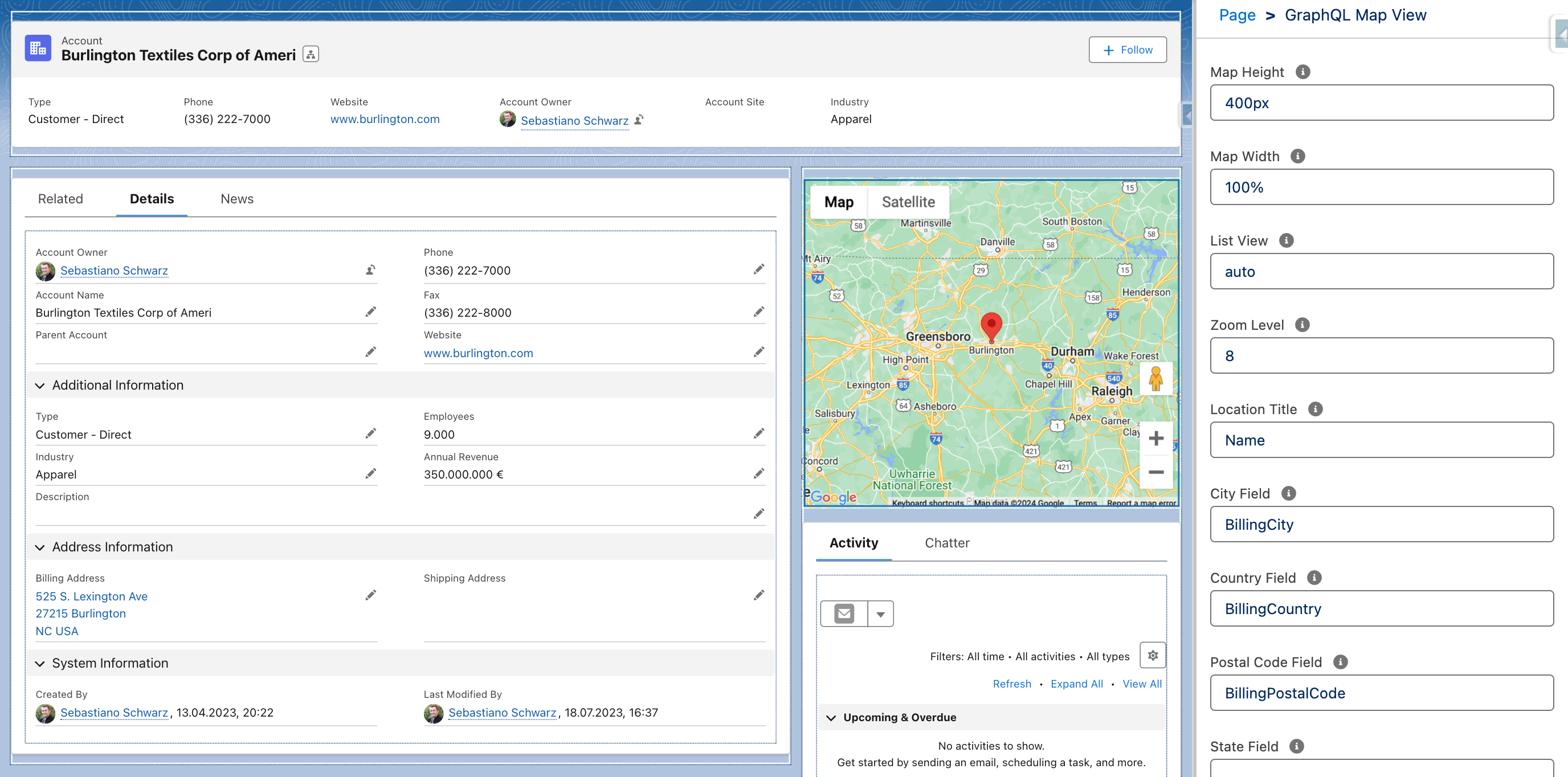
Configurable map component for displaying locations via Google Maps API using LWC GraphQL Wire Adapter.
Available in: Record Page
Read on Medium

Replace Apex with GraphQL in Your Salesforce UI Architecture
Attributes
| Name | Type | Default | Description |
|---|---|---|---|
| record-id | string | If the component is used on a lightning record page, the page sets the property to the id of the current record. | |
| object-api-name | string | If the component is used on a lightning record page, the page sets the property to the API name of the current object. | |
| height | string | '400px' | Height of the map component in percent or pixels. The default is 400px. |
| width | string | '100%' | Width of the map component in percent or pixels. The default is 100%. |
| list-view | string | 'auto' | Displays or hides the list of locations. Valid values are visible, hidden, or auto. |
| zoom-level | string | Supports zoom levels from 1 to 20. If not specified, the component calculates a zoom level to accommodate the markers in the map. | |
| title-field | string | 'Name' | API name of the field that contains the location title. The default is the Name field. |
| city-field | string | API name of the field that contains the city. | |
| country-field | string | API name of the field that contains the country. | |
| postal-code-field | string | API name of the field that contains the postal code. | |
| state-field | string | API name of the field that contains the state. | |
| street-field | string | API name of the field that contains the street. |
Usage
html
<c-graphql-map-view
  record-id={recordId}
  object-api-name="Account"
  title-field="Name"
  street-field="BillingStreet"
  city-field="BillingCity"
  postal-code-field="BillingPostalCode"
  country-field="BillingCountry"
></c-graphql-map-view>
The component is designed for Lightning record pages: drop it onto the page in the Lightning App Builder and map the address fields of the current object. The record-id and object-api-name attributes are set automatically by the record page.